
Web Application Development: A Guide for Small and Medium Businesses
Web application development lets a business go beyond a simple showcase website and equip itself with a digital tool that automates its processes, tracks its customers and sells online. This guide is for managers of small and medium-sized businesses, in Morocco and internationally, who are considering a custom web application.
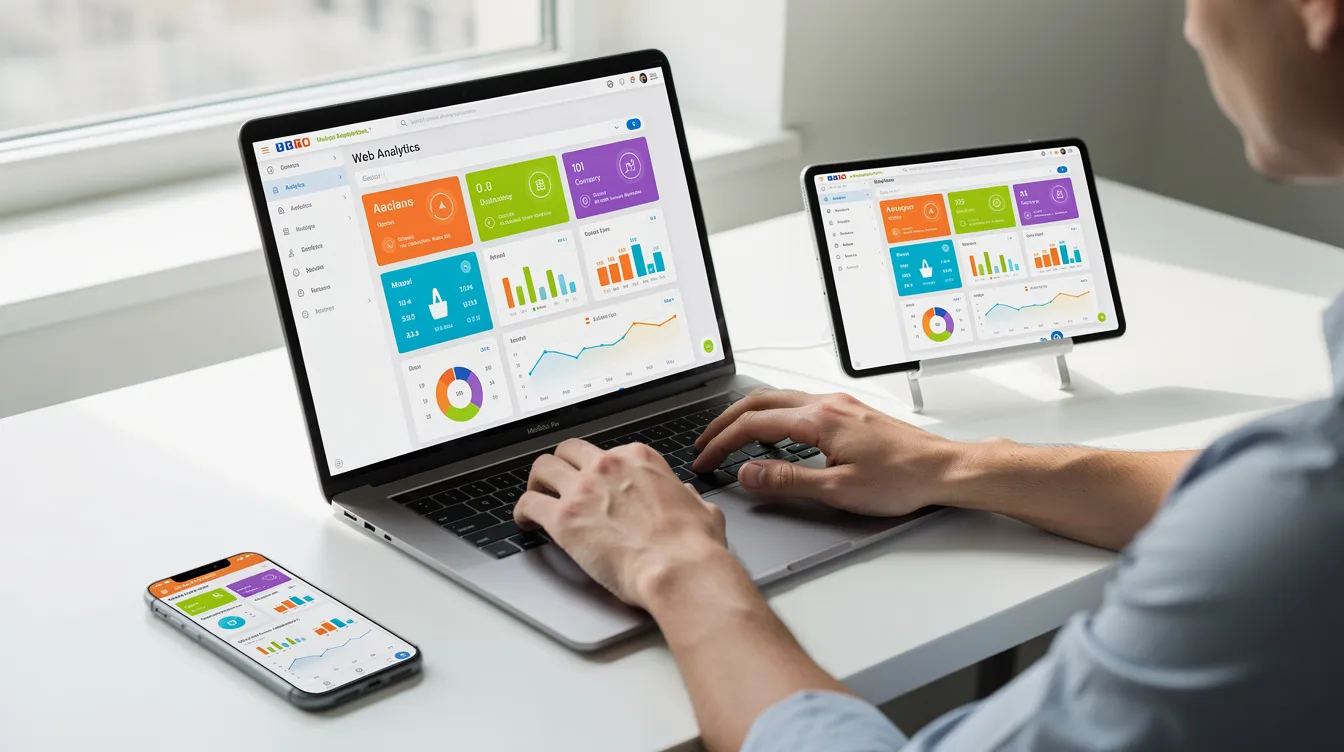
A web application is software you can use from any connected device (computer, tablet, smartphone) through a browser, with nothing to install. It is interactive and handles dynamic data: user accounts, forms, dashboards and workflows.
What a small or medium business can concretely expect:
- Internal productivity: replace scattered spreadsheets and email threads with a single management tool.
- Customer follow-up: offer a secure portal where each customer can view their invoices, contracts or support requests.
- Online sales: open an e-commerce or booking channel.
- Accessibility: everything runs in the browser, on any device.
Web application vs website: what is the difference?
A classic website (showcase site, blog, catalogue) is mainly informative: it presents the company, its services and its news. A web application includes user accounts, forms, dashboards and business logic (calculations, validations, notifications). It generates content based on what the user does.
A few concrete examples:
- Customer portal: the customer logs in, finds their invoices, views a quote and submits a request.
- Internal stock management tool: teams record incoming and outgoing items, managers follow stock levels from a dashboard.
- Booking platform: a visitor picks a time slot, books online and receives a confirmation; the schedule updates.
The front-end is everything the user sees and interacts with (buttons, forms, layout). The back-end handles business rules, stores data and secures exchanges. A web application relies on these two layers, plus a database and a server.
Web application or mobile app: which should you choose?
This question comes up in almost every project. Here are the main differences:
| Criterion | Web application | Native mobile app |
|---|---|---|
| Access | Through a browser | Installed from an app store |
| Updates | Deployed on the server, available to every user | Require downloading a new version |
| Development | One version for all devices | One version per platform (iOS, Android), unless cross-platform |
| Offline use | Limited | Possible |
| Phone features | Limited access | Fuller access to the device's sensors |
For many business uses (customer portal, internal tool), a custom web application covers the need. A mobile app makes more sense when the use case requires offline operation, important notifications or access to advanced phone features.
UnzipTech supports both approaches, web development and native or cross-platform iOS/Android mobile apps, and recommends the solution best suited to each context.
Types of web applications useful to small and medium businesses
- Internal business applications: stock management, team scheduling, site or service-call tracking.
- Customer portals: a secure space for invoices, contracts, support requests and order tracking.
- Booking or rental platforms: booking vehicles, properties or equipment, with contract management and resource scheduling.
- E-commerce applications: product catalogue, cart, payment and delivery management.
- SaaS products: a web application offered to other businesses on a subscription basis (see our article on SaaS development).

The benefits of a custom web application
Off-the-shelf software imposes its own rules. A custom web application does the opposite: it adapts to your real processes (see also custom vs off-the-shelf software).
- Business customization: vocabulary, roles and approval steps match the way you work.
- Automation: fewer repetitive tasks, a better customer experience and reporting for management.
- Scalability: new features can be added as needs evolve, without rebuilding everything.
- Centralized maintenance: updates are deployed on the server, with no action needed from users.
- Integrations: possible connection with your existing tools (ERP, CRM, accounting, payment) to avoid double data entry.
Custom development requires an upfront investment, while an off-the-shelf solution can bring recurring costs (licences, add-on modules) and customization limits. The right choice depends on your context.
The stages of a web application development project with UnzipTech
UnzipTech structures every project in four stages:
- Listening and needs analysis: discussions with management and teams to understand existing processes, priorities and constraints.
- Design and mock-up validation: screen mock-ups and user journeys, approved by the client before development.
- Agile development with regular check-ins: frequent demos and adjustments based on your feedback.
- Delivery, training and follow-up: go-live, team training and user documentation with every delivery, then follow-up.
The personalized quote is free after analysing your needs, and payment is generally split into several phases.
Choosing the technologies
The choice of technologies depends on the type of project, the expected features and the desired maintainability. A web application combines:
- The front-end: the user interface, adapted to computer and smartphone screens.
- The back-end: business logic, permission management and security.
- The database: storage for customers, orders, invoices and other data.
- Hosting: an environment suited to the expected traffic and how critical the tool is (see cloud and DevOps for SMEs).
UnzipTech's role is to select suitable, maintainable technologies for each client. Artificial intelligence can also enrich a web application, for example with intelligent automation.
Key features to consider
- User accounts and roles: customers, administrators, managers, technicians, each with their own access rights.
- Dashboards and reporting: key indicators (sales, bookings, payments) visible at a glance.
- Workflows and automation: notifications, reminders, approvals, document generation.
- Integrations: online payment, third-party services, existing ERP/CRM.
- Document management: generating and storing quotes, invoices, contracts and reports.
- Responsive display: an interface that works on smartphones.
- Security: encrypted exchanges, authentication and access management (see our web security best practices).
Budget and timeline: what makes them vary
Giving a fixed price without knowing the scope would be misleading. Budget and timeline depend mainly on:
- the functional scope: number of features, user profiles and workflow complexity;
- the level of integration with other systems (ERP, accounting, payment);
- performance and security requirements;
- how quickly approvals happen on the client side (mock-ups, intermediate versions).
The main cost items are UX/UI design, front-end and back-end development, integrations, testing, training and maintenance. A clear requirements document helps formalize the requirements and limit scope creep.
Maintenance, support and evolution
A project does not stop at go-live:
- Corrective maintenance: bug fixes and adaptation to changes in browsers and servers.
- Evolutive maintenance: new features to keep up with the company's growth.
- Security and performance monitoring: backups, dependency updates, access control.
- Documentation: it makes onboarding new users easier.
UnzipTech offers maintenance and support contracts. To learn more, read our article on web application maintenance.

How to prepare your project
The clearer your request, the more precise the analysis. A practical checklist:
- Define your goals: save time on a process, follow customers better, open a sales channel, replace an outdated tool.
- List the types of users: customers, sales staff, administrators, partners, with their needs and expected actions.
- Gather examples: spreadsheets, paper forms, screenshots of the current tool.
- Identify the tools in place: accounting, ERP, CRM, website, and those to connect to the future application.
- Appoint an internal lead: someone who follows the project, approves each stage and passes on feedback.
Why work with UnzipTech?
UNZIPTECH SARL, based in Fès, works with small, medium and large companies in Morocco and internationally.
- Complementary expertise: web development (showcase sites, e-commerce, web applications), mobile apps, custom software (ERP, CRM, business tools), artificial intelligence, IT & digital consulting and SaaS solutions.
- A four-stage process: from needs analysis to delivery, training and follow-up.
- Training and documentation with every delivery.
- Maintenance and support contracts.
- Free personalized quote after analysing your needs.
FAQ about web application development
What is the difference between a website and a web application?
A website is mainly informative, while a web application includes user accounts, forms, dashboards and business logic.
Should I choose a web application or a mobile app?
A web application suits many business uses because it runs in the browser on every device. A mobile app makes more sense for offline use or access to advanced phone features.
How much does web application development cost?
The cost depends on the functional scope, the integrations and the security requirements. UnzipTech provides a free personalized quote after analysing your needs.
How does a project with UnzipTech work?
In four stages: listening and needs analysis, design and mock-up validation, agile development with regular check-ins, then delivery, training and follow-up.
What happens after go-live?
UnzipTech trains your teams, provides user documentation and offers maintenance and support contracts.
To discuss your web application project, contact the UnzipTech team.