
Mobile App Development: Native, Cross-Platform or Web?
The smartphone has become a central screen for both work and everyday life. For a business leader, mobile app development can therefore be a lever to serve customers better, streamline internal processes or build user loyalty. The key is choosing the right approach.
This guide helps you understand the three main approaches to mobile app development (native, cross-platform and web apps), follow the concrete steps of a project and identify what drives the budget. Whether you run a very small business, an SME or a large company, these principles apply to your situation.
UNZIPTECH SARL, based in Fès, supports very small businesses, SMEs and large companies in Morocco and internationally in developing iOS and Android mobile apps, native or cross-platform.
Before Building a Mobile App: Clarify Goals and Use Cases
Many projects fail not because of the technology, but because the goals were never clearly defined. Before developing an app, ask yourself the right questions.
- Define the main goal: increase online sales, streamline an internal process, reduce data-entry errors, communicate better with customers or build a loyal user base.
- Identify concrete use cases:
- a rental business that wants to let customers book from their phone;
- an industrial SME that wants to digitize maintenance tracking and inventory management;
- a service provider that needs an app for its customers and its field teams.
- Write a short statement of intent: problem, target users, essential features, expected results. It will serve as a reference throughout the project.
- Clarify who the app is for: end customers (B2C), partners (B2B) or internal staff (business app). This distinction shapes the technology choice, the level of design and how the app is distributed.
Native, Cross-Platform or Web App: An Overview of the Options
The right type of app always depends on your goals, budget and timeline. Here are the main families:
- Native app: built specifically for one operating system (iOS or Android). It makes full use of the phone's capabilities and delivers the highest level of performance.
- Cross-platform app: a single codebase is shared between iOS and Android, which simplifies development and maintenance.
- Web app and PWA: accessible from a browser, with no installation from the app stores. Progressive Web Apps (PWAs) enrich this experience: installation on the home screen, partial offline use and notifications depending on the platform.
- Hybrid app: it wraps web technologies in a native container and lets you reuse existing web skills.
The technical choice affects performance, user experience, timelines, maintenance and the overall budget. At UnzipTech, the recommendation is always made after analyzing your business needs, often as part of the company's broader digital transformation.
Native Development (iOS and Android)
Native development means building a dedicated app for each platform, using the languages and tools specific to each operating system. Two separate apps are produced: one for iOS and one for Android.
Advantages of native:
- maximum performance and full access to the phone's features (GPS, camera, sensors, Bluetooth);
- a very smooth user experience;
- fast access to new operating-system features.
When to choose native:
- apps with very high performance demands: payments, video, games, real-time tracking;
- strong security needs and complex integrations with internal systems;
- the company's flagship product, where the quality users perceive is decisive.
What it means for the business: native requires specialized skills for each platform and two codebases to maintain, which weighs on the schedule and the budget.
Cross-Platform Development: One Codebase for iOS and Android
Cross-platform development lets you build an app from a single codebase deployed on iOS and Android. Developers write the code once, and the framework produces a version for each platform.
Concrete benefits:
- less code to write and maintain than with two native apps;
- functional and visual consistency across both platforms;
- one team and one code repository.
Relevant use cases:
- launching a minimum viable product (MVP) to test adoption before investing further;
- a first version of a booking app, customer-tracking app or sales tool;
- projects where speed to market is the priority.
Limits to keep in mind: some advanced native features (augmented reality, real-time video processing) need specific adjustments, and performance can be slightly behind native. To go further, read our article on React Native and mobile development.
Web Apps and PWAs: When the Web Is Enough
A web app is accessible from a browser and requires no installation from the app stores. PWAs go further: they can be installed on the home screen, work partly offline and send notifications depending on the platform and browser. They can also be updated on the server side, without going through the stores.
Use cases suited to the mobile web:
- customer portals, member areas, B2B extranets;
- management dashboards;
- a first step to validate a concept before building a native or cross-platform app.
Mobile App or Web App: How to Decide
The decision is not primarily technical: it is strategic. Ask yourself these questions:
- Do your users need to work without a stable connection? A mobile app then offers a more robust offline mode than a PWA.
- Do you need frequent notifications, or heavy use of the camera or geolocation? These uses point to a true app.
- Is access mostly from a computer or a browser? A well-designed web app may be enough, especially for internal or B2B use.
- Does being in the app stores matter for your visibility and your users' trust? A mobile app then becomes relevant.
A step-by-step path is often the wisest: start with a web app or PWA, validate adoption, then invest in a cross-platform or native app once the model is confirmed.

The Main Steps of a Mobile App Project at UnzipTech
At UnzipTech, every project follows a structured four-step process, whatever the approach chosen:
- Listening and needs analysis: understanding the business, the constraints and the expectations.
- Design and mockup validation: visualizing the app before writing a single line of code.
- Agile development with regular check-ins: building, testing and adjusting continuously.
- Delivery, training and follow-up: going live, training the teams and ongoing support.
The length of a project depends on its complexity and functional scope.
Step 1: Scoping, Specifications and Technology Choice
Scoping is the foundation of any successful project.
- Write structured specifications: context, user profiles, user journeys, priority features, required integrations (ERP, CRM, business tools).
- Based on this scoping, UnzipTech helps you choose between a native, cross-platform or web app, according to the performance you need, the functional complexity and the required architecture.
- Often start with a reduced scope: an MVP focused on essential features lets you test real adoption before investing in a full version.
- This phase leads to a personalized quote, free of charge after analyzing your needs. Payment is generally split into several phases.
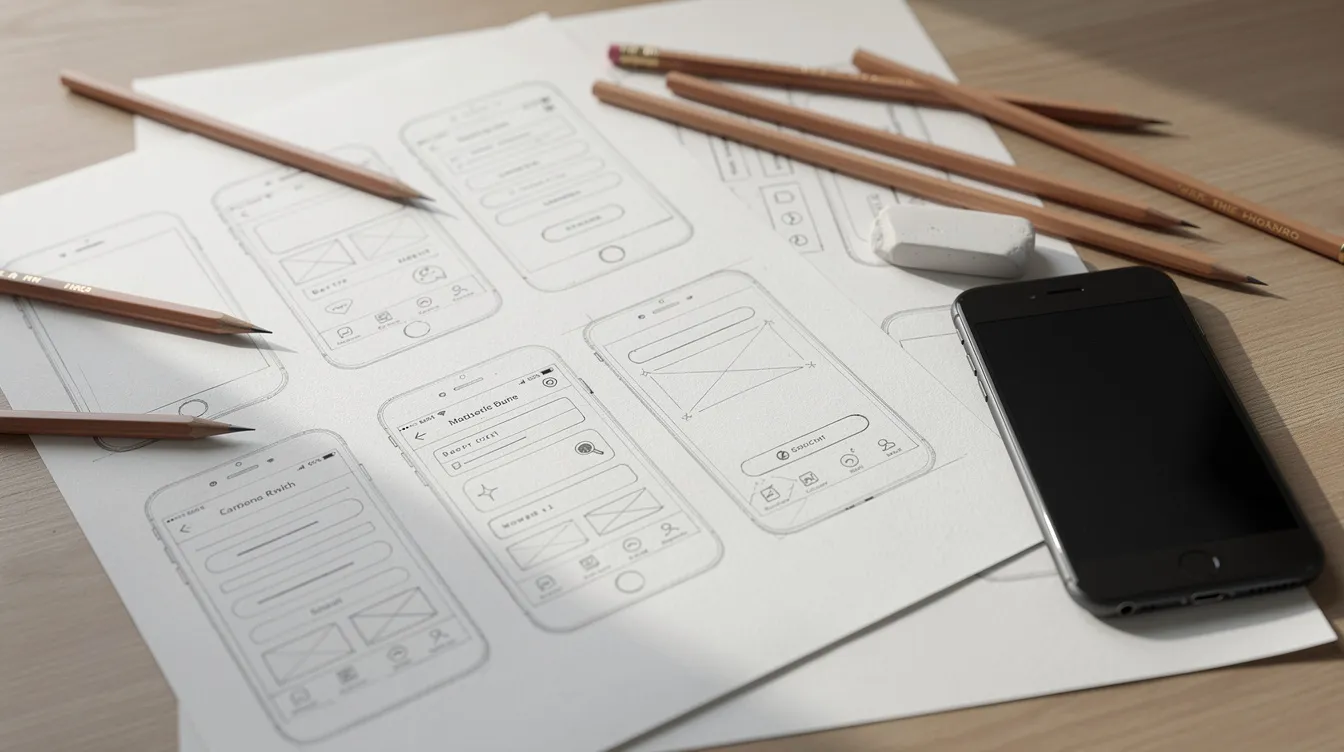
Step 2: UX/UI Design and Mockups
- UX design covers usability: structure, navigation paths, interaction logic. UI design covers the look: typography, colors, visual components.
- Clickable mockups let managers and business teams see the app before development: main screens, navigation, forms, dashboard.
- At UnzipTech, mockups are validated with the client before the development phase, to secure the user experience and limit back-and-forth.
Step 3: Development, Testing and Launch
Validated mockups are turned into code. Development follows an agile method: short iterations, interim demos and regular feedback from business teams, so the app can be adjusted along the way.
Tests to plan for:
- functional tests and user tests;
- tests on different devices and screen sizes;
- performance checks: loading time, smoothness, stability;
- security tests: data storage, permissions, data protection.
Launch: for a mobile app, you need to prepare the visuals, description, screenshots and privacy policy, and follow each store's rules. For a web app, you need secure hosting and integration with your existing digital ecosystem. On this topic, see our Cloud and DevOps advice for SMEs.
Step 4: Maintenance, Updates and Team Support
Going live is not the end of the project; it is the start of its operation.
- Maintenance covers bug fixes, technical updates, adaptation to new iOS and Android versions and user-experience improvements. UnzipTech offers maintenance and support contracts.
- Track user feedback: store ratings, support requests, internal feedback.
- With every delivery, UnzipTech trains the teams and provides user documentation, which makes the app easier to adopt.
What Drives the Budget of a Mobile App
Without discussing amounts, here are the parameters that make a project's budget vary:
- Functional scope: number of screens, complexity of user journeys, volume of business rules. A simple app (catalog, form) is nothing like a full marketplace.
- External integrations: ERP, CRM, payment gateways, booking systems. Each integration adds complexity and testing.
- Technology choice: two native apps, a cross-platform solution or a web app.
- Level of design customization: a custom design with advanced animations takes more work than an interface built from standard components.
- Security requirements: transactions, sensitive data and the related controls.
- Artificial intelligence or automation modules: they add value, but also complexity.
- Maintenance and updates: to be included in the overall budget from the start.
Adding Artificial Intelligence to Your Mobile App
AI can enrich an existing mobile or web app, often step by step and without a complete rebuild.
Example use cases:
- personalized recommendations based on the user's history and preferences;
- automatic prioritization of customer requests;
- classification of documents or photos;
- automatic notifications triggered by business events (maintenance reminder, stock alert, booking confirmation).
Precise scoping of the use cases is essential to avoid making the project needlessly complex: not every app needs a conversational assistant or a recommendation engine in its first version. To go further, read our article on AI in software development.
Typical Cases: Which Choice for Which Scenario
These scenarios are guidelines, not universal recipes:
- Small service business (restaurants, beauty…): a booking and loyalty app. A cross-platform solution or a PWA is often suitable, since the priority is fast launch and easy access.
- Rental business: a mobile app for customers and a web back office for management. A web app + cross-platform app combination is often consistent, with a step-by-step approach.
- Industrial company digitizing an internal process: production tracking, maintenance, fleet management. A robust native or cross-platform app connected to a custom ERP or CRM is often relevant.
- Start-up launching a new product: a cross-platform MVP lets you move fast, validate the idea and iterate.

How UnzipTech Supports Your Mobile App Project
UnzipTech works across the entire life cycle of a digital project:
- mobile app development (native iOS/Android and cross-platform);
- web development (showcase websites, e-commerce, web apps);
- custom software (ERP, CRM, business tools);
- artificial intelligence and intelligent process automation;
- IT & digital consulting (audit, digital strategy, digital transformation);
- SaaS solutions.
From its office in Fès, UnzipTech supports clients in Morocco and internationally, with regular check-ins during development, user documentation and team training at every delivery. The personalized quote is free after analyzing your needs, and you can start with a reduced scope (MVP) to validate your idea before developing a full app.
FAQ About Mobile App Development
Should I choose a native or a cross-platform app?
It depends on your performance needs, the phone features you use, your budget and your timeline. Native suits highly demanding apps; cross-platform is often a good fit for a first version or an MVP.
Can a web app replace a mobile app?
For customer portals, internal tools or dashboards, a web app or PWA may be enough. If you need a robust offline mode, heavy use of the camera or geolocation, or a presence in the app stores, a mobile app is better suited.
How much does mobile app development cost?
The budget depends on the functional scope, integrations, technology choice, design, security and maintenance. UnzipTech provides a free personalized quote after analyzing your needs.
What happens after launch?
The app needs to be maintained and updated. UnzipTech offers maintenance and support contracts, as well as team training and user documentation with every delivery.
Next Step: Tell Us About Your Project
Gather your ideas before the conversation: goals, target users, essential features, known constraints. A short note is enough to start a useful discussion.
Explore our offer on the mobile apps page, then contact the UnzipTech team for advice on native, cross-platform or web and a free personalized quote after analyzing your needs.